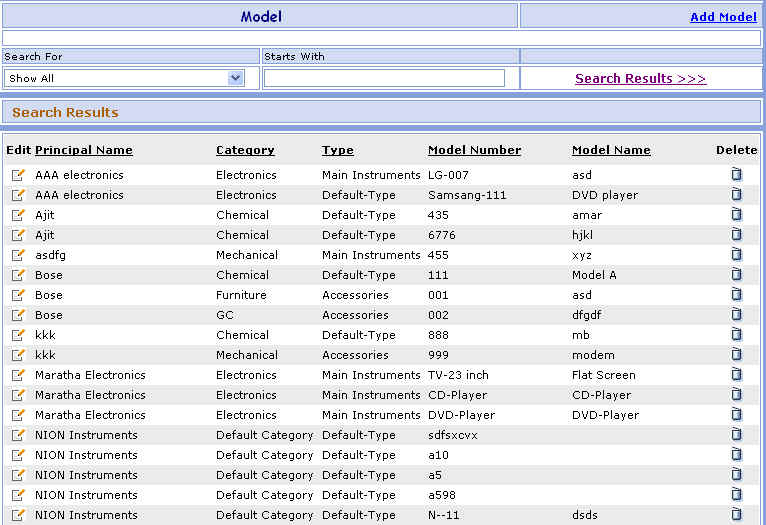
Model Search
This page is used to enter the Model in your database. You can Add, Modify, Delete the Model from this page.
You can go to Model Master screen in following way:
1- Go to Homepage and click on Administration link located at the top of the page.
2- Click on the Model Master link that is seen at the left side of the page.
>>Want to Create New Model?
1- Click on the Add Model link that is seen at the right corner of the page, open the New Model screen.
>>Want to Search record of Particular Model?
Suppose you want the details of a Model e.g. DVD player. Here are the steps to follow:
1- In the Search for box select Model Name (or Principal Name or Category or Type or Model Number) and in2- Click on Search Results >>> link.
3- The Customer's brief information appears in grid.
>>Want to Modify Model Information?
Suppose you have entered the Wrong Model Information e.g.
DVD player by mistake.
Don't worry, here's the solution.
Just follow below steps:
 ) button besides it.
2- You will see the details of DVD player Model Information.
3- Change the DVD player Model Information and click on Save button. ORClick on Save & New button to save the Model and then enter New Model.
4- Click on Cancel button to cancel the Model and clear all the fields to enter New Model.
>>Want to Delete Model?
1- Click on the Delete ( )
button beside the Model Name that you want to delete.
)
button beside the Model Name that you want to delete.